
 Polski
 Magyar
 Deutsch
 Español
 Italiano
 Lietuvių
 Română
 Srpski





What’s new in ONeQ1 2026
Over the first weeks of 2026 we rolled out many improvements in ONe that support sales growth and improve the customers’ buying experience.
The new features make sales reps’ daily work easier, speed up sales and complaint processes, and make activity on the platform more transparent. They make ONe more intuitive and efficient to use, and give customers even more convenient access to offers, payments and tools that support their purchasing.
Creating forms on the sales platform
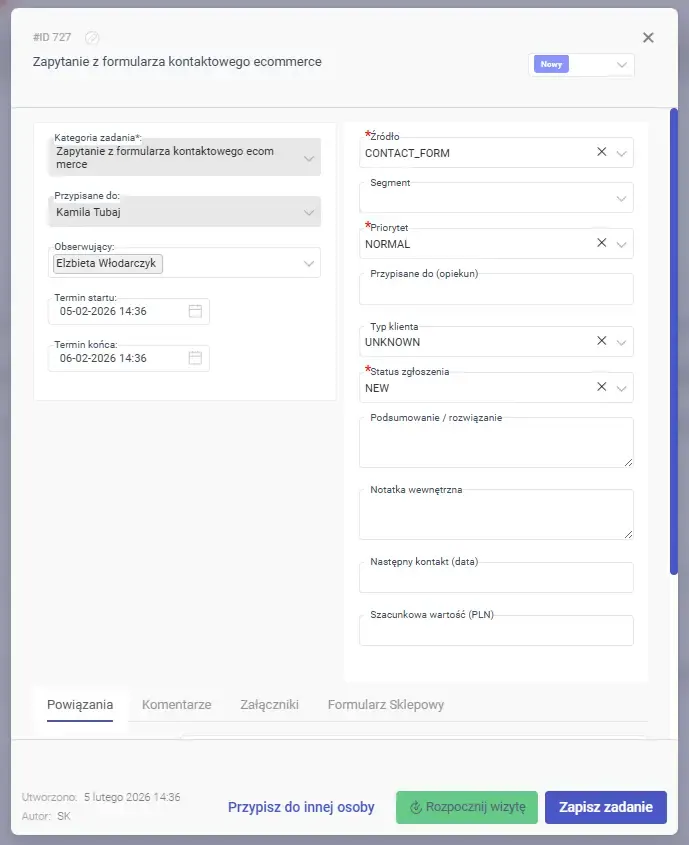
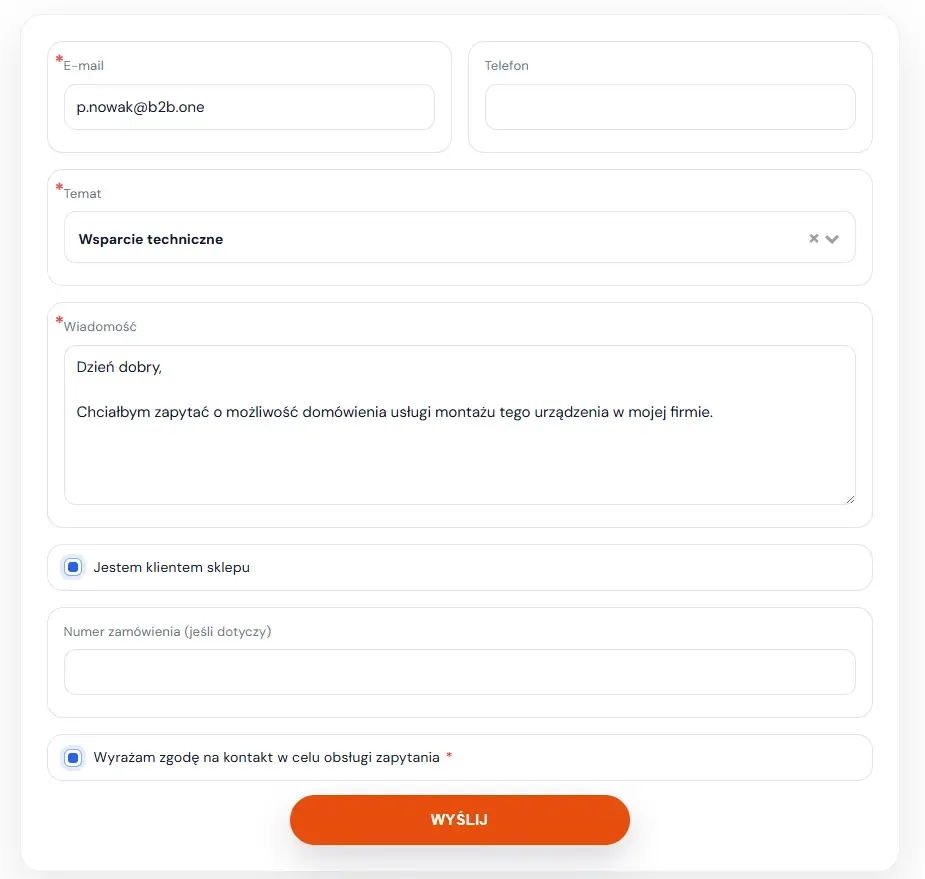
We have added the ability to create forms directly on the sales platform. You can now design all your forms and make them available to customers in ONe, without external tools. The forms are fully integrated with the system and can easily be adapted to your own processes.
Forms can be placed in different parts of the sales platform – on the product list, the home page, a dedicated additional page or in an article – exactly where they are needed in the buying process.
The form configurator lets you:
- Give the form a title and name each field.
- Define the field types (text, list, number, checkbox) and set which fields are required.
- Define who can see the form: all users, logged-in users only, or logged-out users only.
- Automatically save submitted forms as tasks in ONe, so that all requests are collected in one place.
- Assign a task category, so that forms can easily be filtered and sorted in the task list in the Sales Panel.
- Define who the task is assigned to – the Account Manager, any sales rep or the branch manager.
- Select followers who watch the activity within the task, choosing specific people.
- Set the time in which the assigned person should handle the request after the form is submitted.
- Protect forms with reCAPTCHA, to make sure they are submitted by real people.
Forms will be not only a tool for collecting data, but also a way to organise customer service and the work of the sales team.
Deferred payments and an additional credit limit
We have introduced deferred payments provided by an external financial operator. The new payment method lets the operator pay for the order, and also lets the customer apply for an additional credit limit. Such a limit can extend the standard trade credit limit of B2B customers and support sales growth.
A few key facts about how the new payment method works:
- Deferred payments are available to B2B customers of companies that have signed an agreement with the financial operator.
- The financing agreement between the customer and the operator is concluded the first time the customer tries to use this payment method.
- Once the operator has paid for the transaction, the payment status on the order is updated immediately.
- After obtaining financing, the customer can apply for a credit limit to use on subsequent purchases.
- The granted credit limit can be used when shopping on the sales platform.
- The available limit is shown in the shopping basket.
- The customer’s credit limit is also visible to the sales rep when placing an order from the Sales Panel.

Creating offers in external systems – integrating the purchasing process with quoting
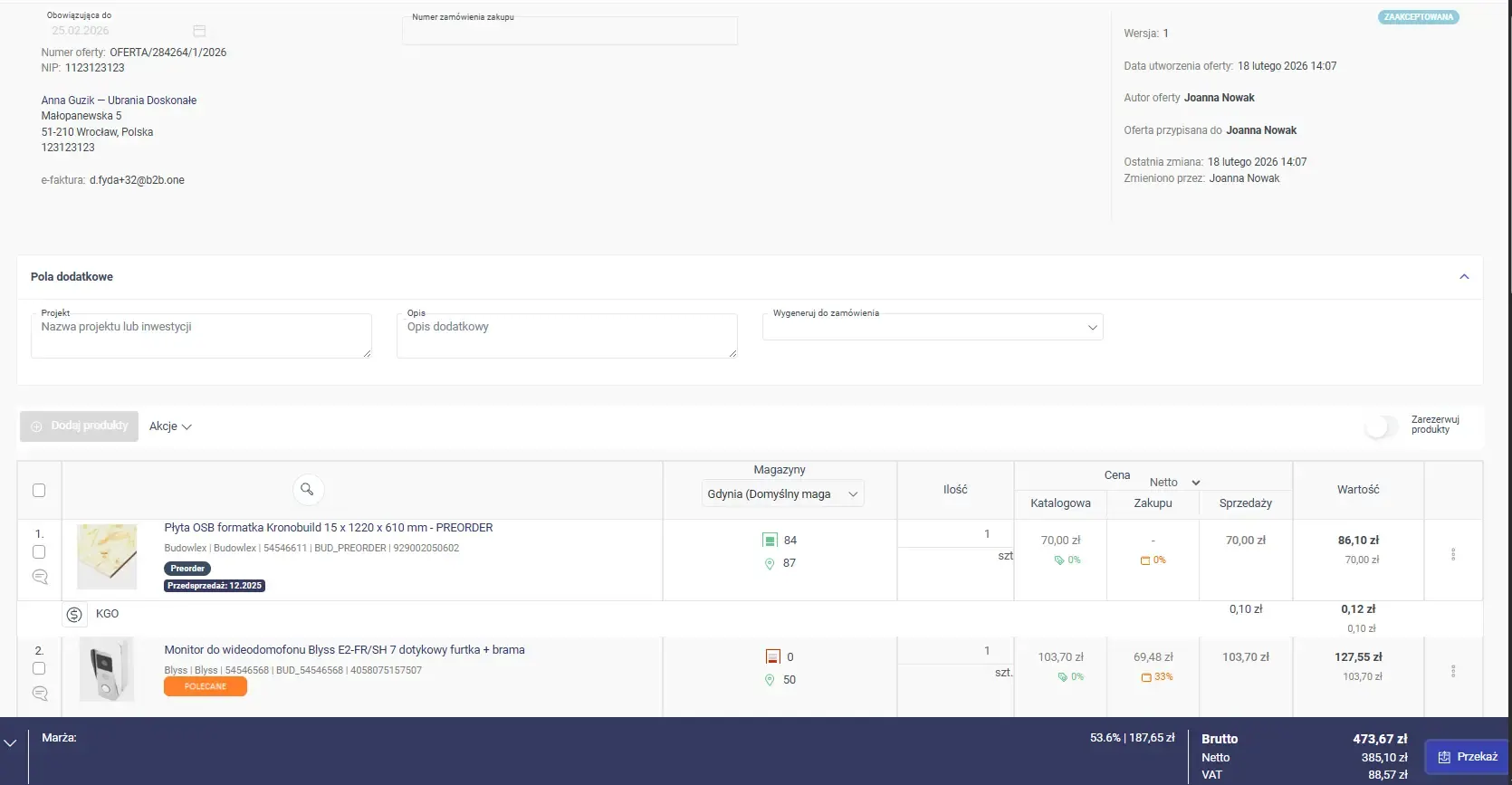
We have extended ONe’s quoting capabilities with integration with external systems. Sales offers can now be not only created directly in ONe, but also passed to the system from other tools used in your sales processes.
Although ONe has its own complete quoting process, we also make it possible to connect purchasing processes with quoting carried out in external systems. This makes it possible to upload offers with individually agreed prices and continue working on them in ONe – including creating orders.
Once an offer has been created by an external system, the sales rep receives an automatic notification, so they can quickly take further sales action.
Improved search in complaints
We have improved the process of submitting complaints in ONe. Until now, when filing a complaint you could search for a product by its number in ONe, but in practice that might not be enough. The product numbers shown on accounting documents (e.g. invoices) often differ from the identifiers used in the sales system, which made it harder to quickly match a product to the right document.
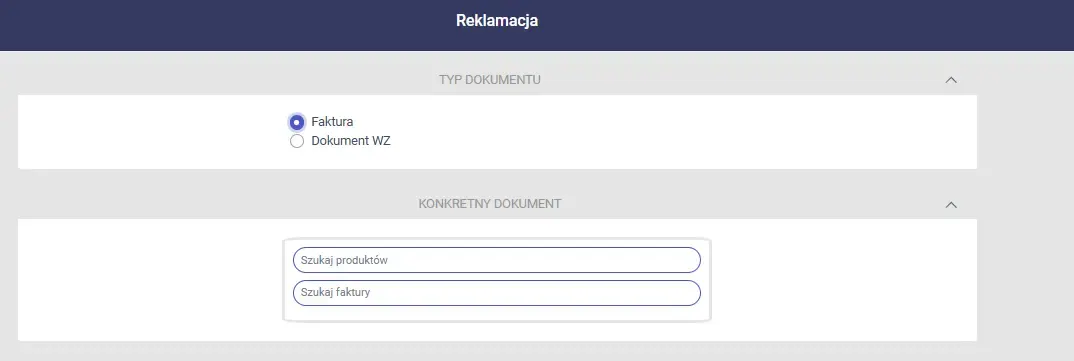
To simplify this, we have added an extra product search available when submitting a complaint – both for the customer on the sales platform and for the sales rep in the Sales Panel. The new search finds a product based on different data (e.g. an external number, a manufacturer number or a name), identifies it in the system and automatically returns the invoices on which the product appears.
This change significantly shortens the time needed to find the right document and speeds up submitting complaints, making things more convenient for users on both sides of the process.
All of these features make sales reps’ work easier and streamline the buying process for B2B customers. They increase customers’ engagement in purchasing and speed up sales and complaint processes, which has a positive effect on your company’s sales performance.
Let’s work together
Achieve more, faster with our cutting-edge B2B platform. Streamline your sales processes, boost operational efficiency, and build stronger customer relationships. Get in touch with us today to see how we can help your business grow.


You’ll receive a confirmation e-mail once your message has been sent.
By clicking Send you consent to the processing of your personal data for the purpose of contacting you. All information on the processing of personal data and your rights can be found in our privacy policy. You can ask further questions by writing to: iod@b2b.one
